Creator

Your in-app studio for golf content.

The Creator tab lives inside every round. Upload your logos, dial in your brand colors, choose from lower-third and scoreboard templates, then export high-res PNGs with copy-ready captions for Instagram, YouTube, Stories, and anywhere else you post.

Templates

Lower thirds and scoreboards, multiple layouts

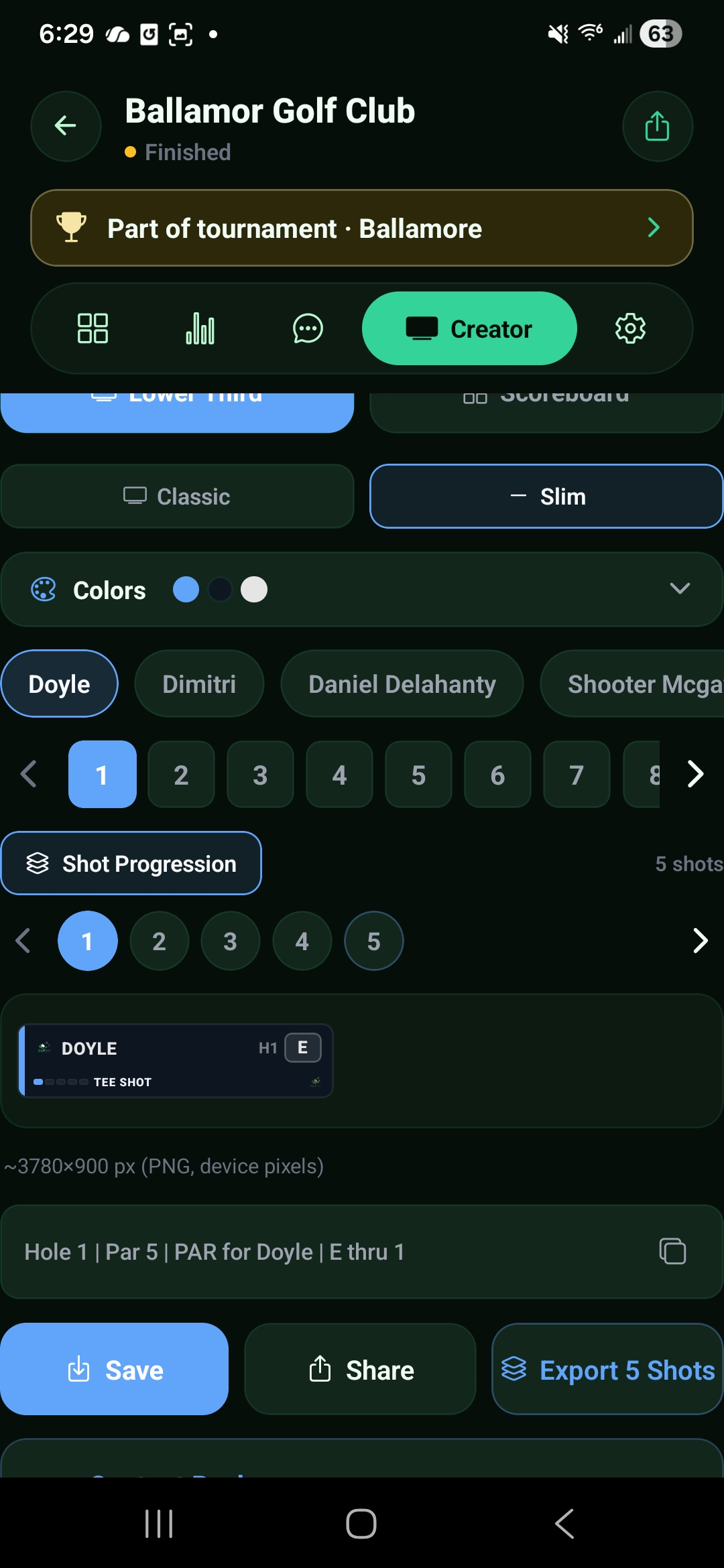
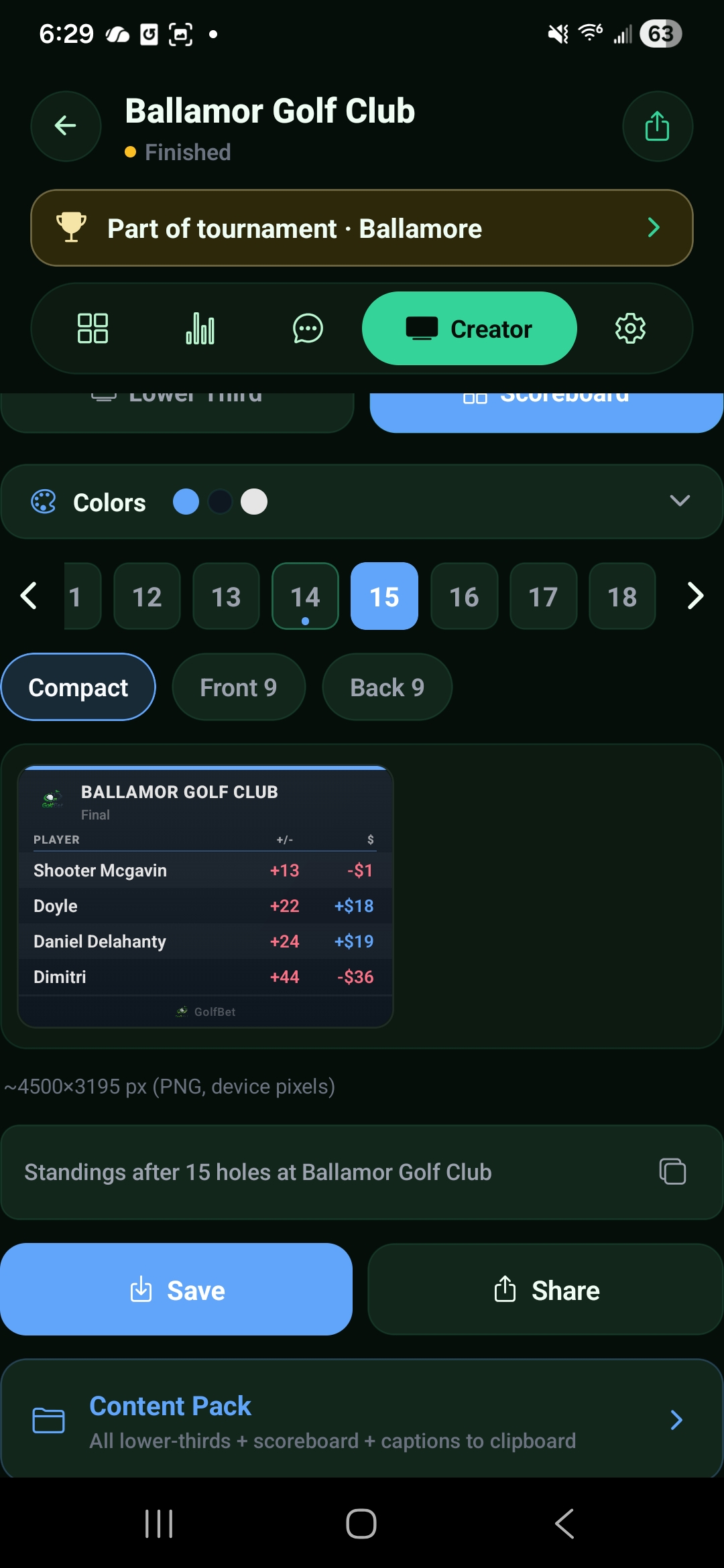
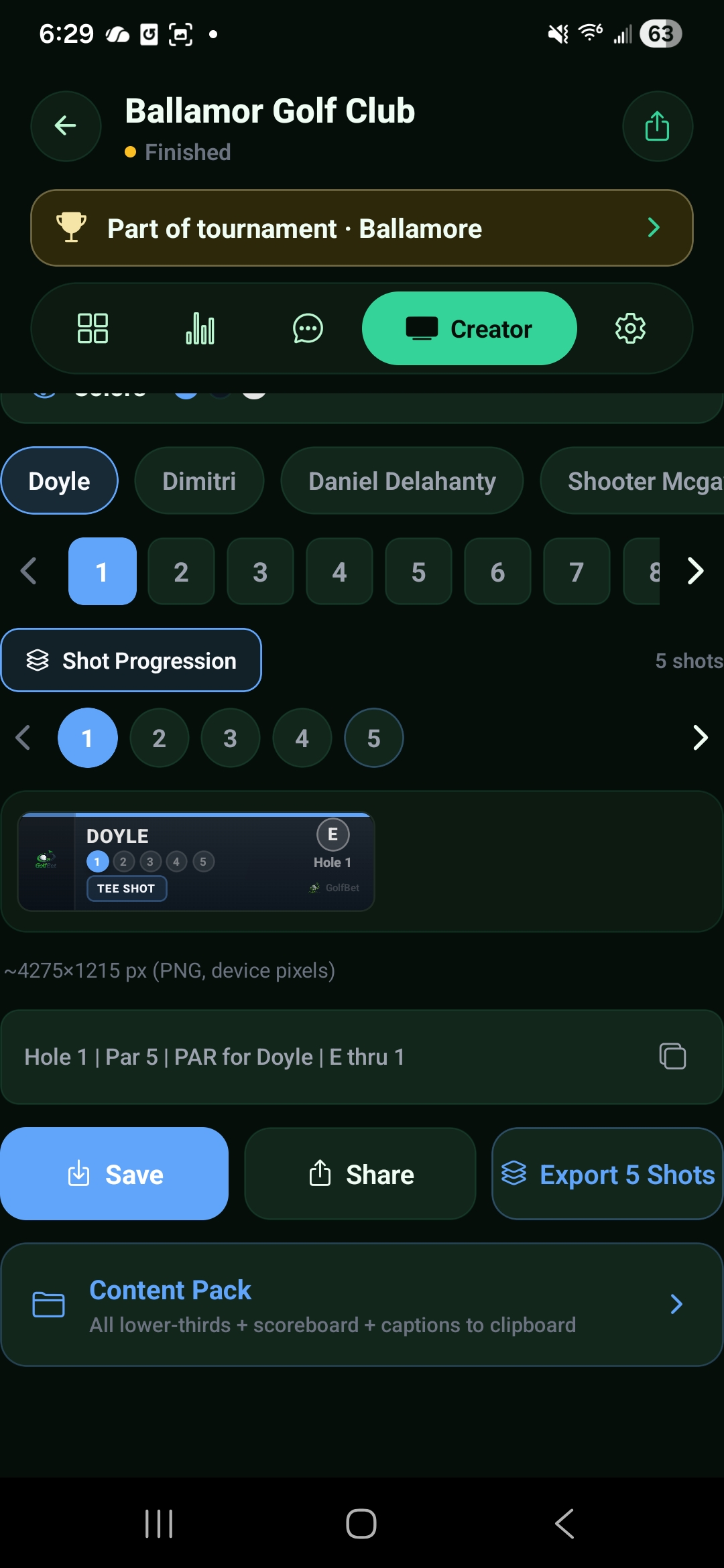
Switch between two asset types and pick the layout that fits the story: Classic or Slim for lower thirds, Compact, Front 9, or Back 9 for scoreboards. Select any player and hole, walk shot progression, and preview at full export resolution before you save.

  • Lower Third: Classic and Slim with per-shot progression
  • Scoreboard: Compact, Front 9, Back 9 with full grids
  • Live preview with export resolution shown (up to 8550 px)
Branding

Your logos, your colors, exact hex

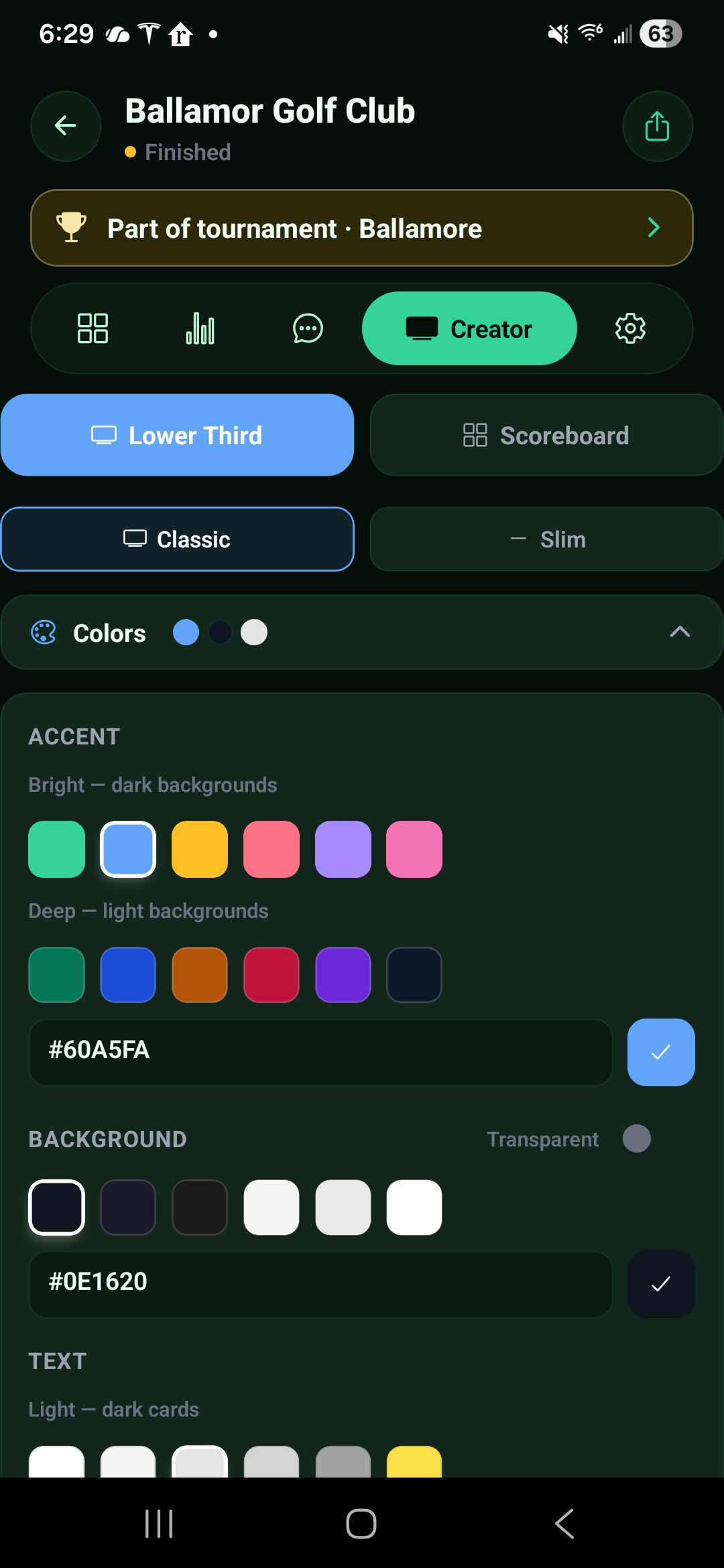
Upload custom logos for the corners of scoreboards. Pick accent colors from curated bright and deep palettes, or type an exact hex code. Set background color or go transparent for compositing. Separate text color controls round out the system.

  • Custom logo upload for scoreboards and lower thirds
  • Accent, background, and text color pickers with hex input
  • Transparent background toggle for compositing workflows
Creator — Colors panel with accent swatches, hex input, background presets, and transparent toggle
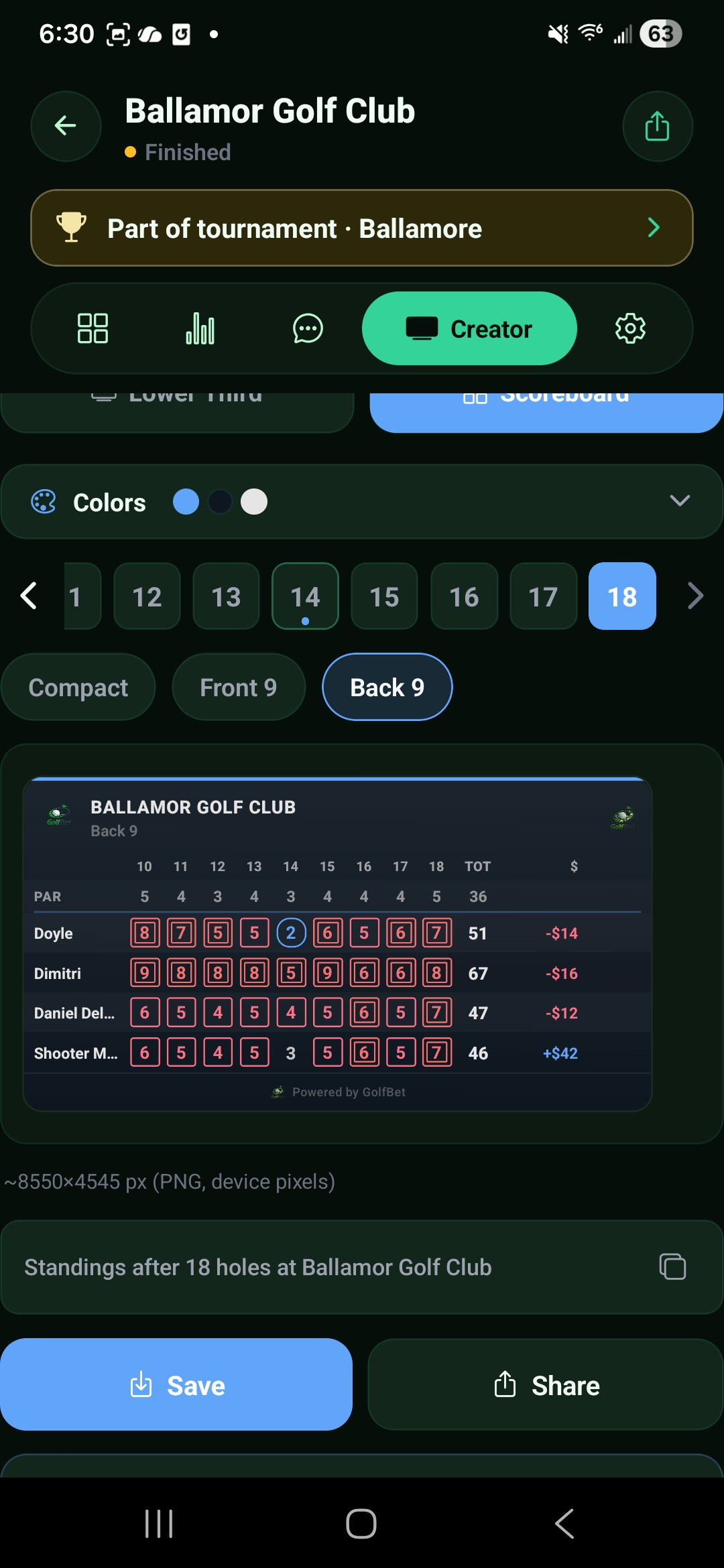
Creator — Back 9 scoreboard with custom logos in corners
Scoreboards

Full-grid scoreboards at broadcast resolution

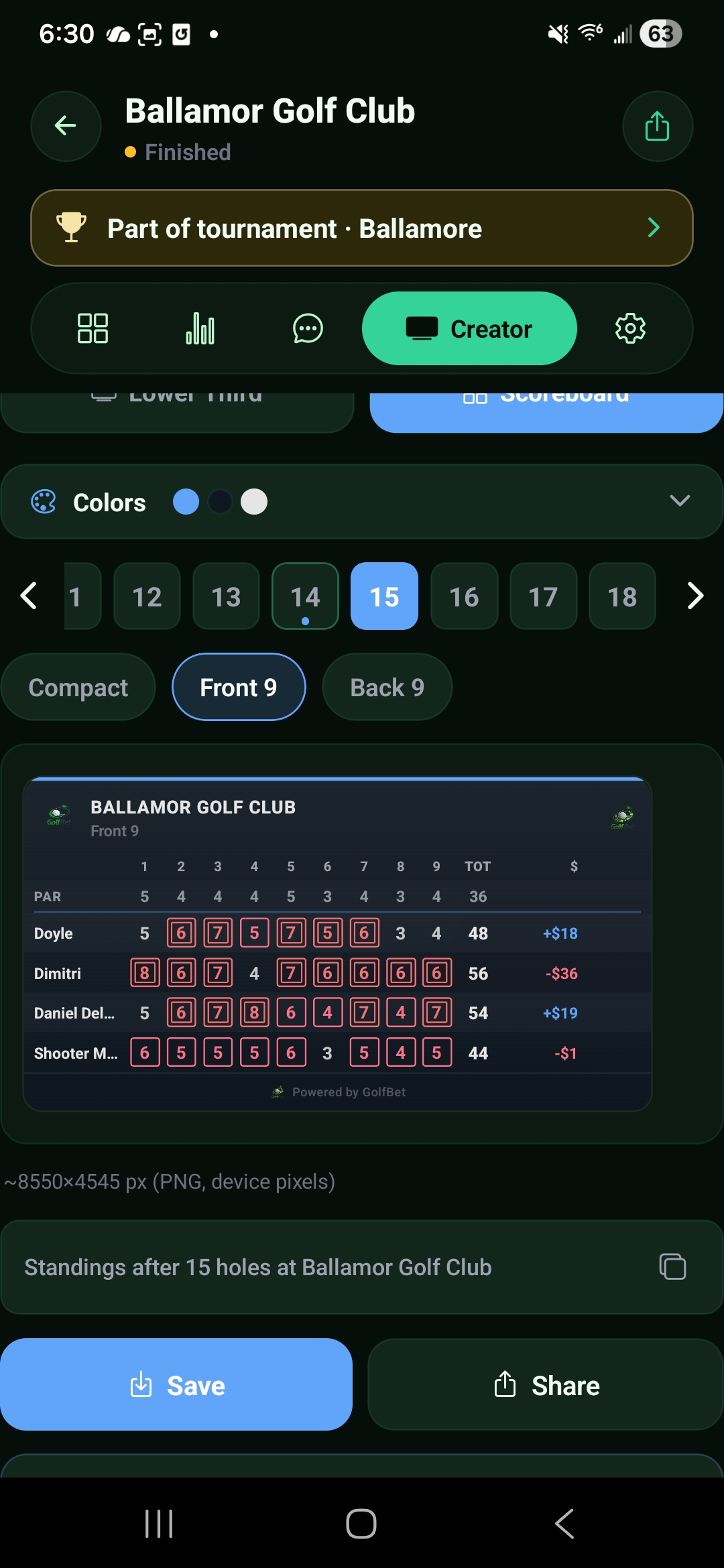
The scoreboard template pulls hole-by-hole scores, totals, and net winnings directly from your round data. Switch between Compact, Front 9, and Back 9 views. Each export includes color-coded scoring (birdie, bogey, double) and a "Powered by GolfBet" watermark.

  • Compact, Front 9, and Back 9 scoreboard views
  • Color-coded scores: birdies, bogeys, doubles at a glance
  • Exports at up to 8550 × 4545 px for print-quality clarity
Creator — Front 9 scoreboard with full grid, totals, and winnings column
Creator — Compact scoreboard with Content Pack button
Export

Built for how you actually post

Every export shows its pixel dimensions in the app so you know the resolution before saving. Pick the workflow that fits your pipeline.

Save & Share

Save a single high-res PNG to your camera roll, or share directly to Instagram, iMessage, or any app on your phone.

Export shots

Walk a hole's shot progression and batch-export every frame as individual images for recap carousels and Stories.

Content Pack

One tap exports every lower third, the scoreboard, and copies all captions to your clipboard. Your entire post pipeline in one action.

Ship content from the course, not from Photoshop

Download GolfBet and open Creator on your next round.